
MYMOTTO IS NOW IN YOUR WALLET
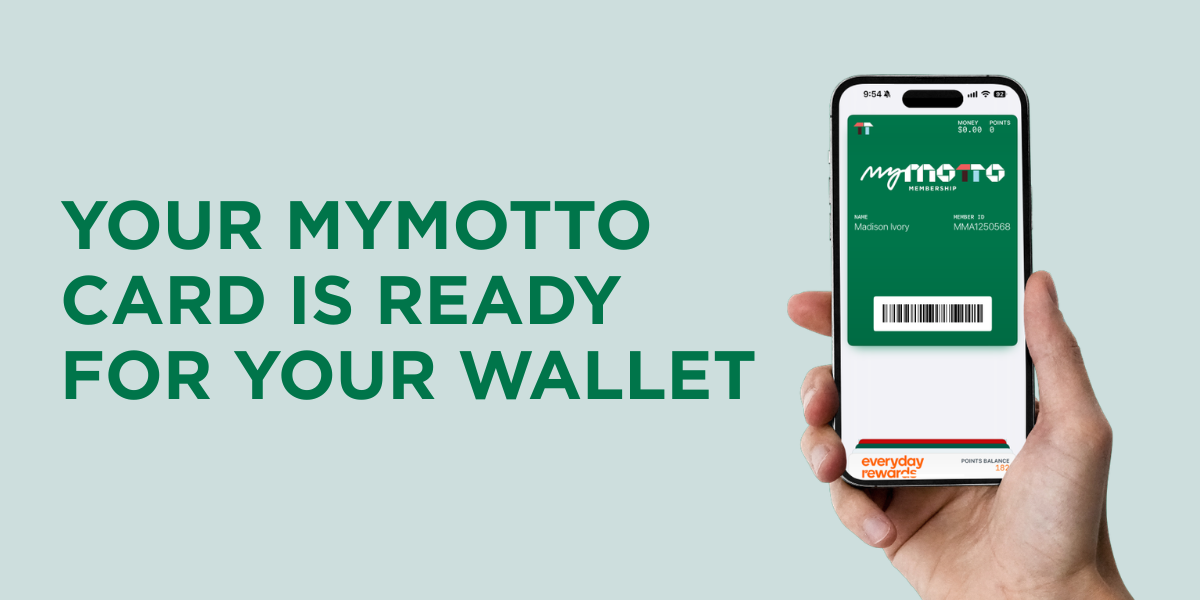
Your MyMotto membership card is now just a tap away. Add it to Apple Wallet or Google Wallet from the Motto Motto app.
Your MyMotto membership card just got a whole lot easier to access. You can now add it to your Apple Wallet or Google Wallet straight from the Motto Motto app, so your member barcode is always handy for when you visit.
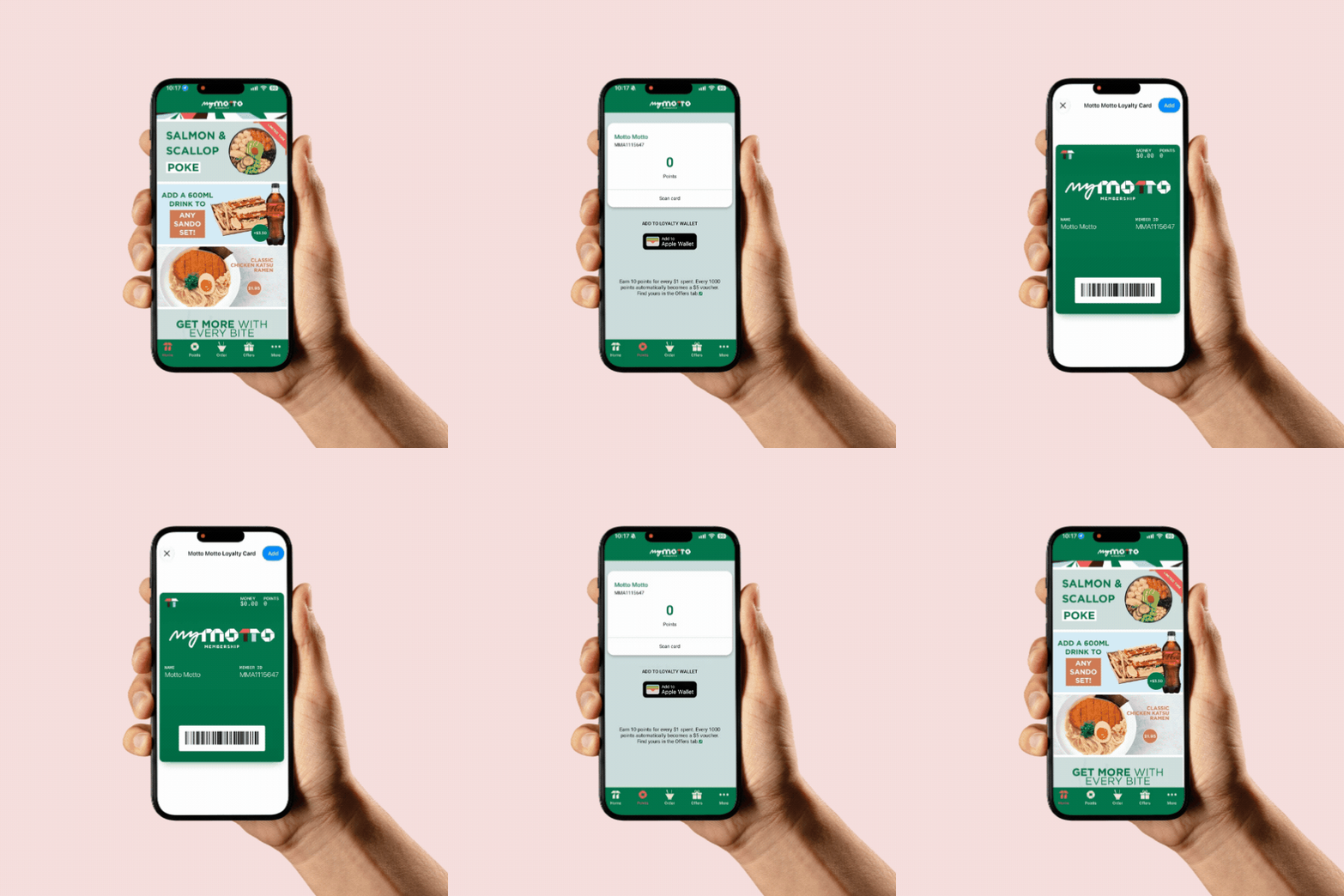
HOW TO ADD YOUR CARD
1. Open the Motto Motto app and sign in
2. Tap the Points tab
3. Tap Add to Apple Wallet or Add to Google Wallet
Need the app? Download it from the App Store or get it on Google Play.


A QUICK POINTS REMINDER
MyMotto members earn 10 points for every $1 spent on eligible purchases. When you reach 1000 points, they will automatically convert into a $5 voucher in the Offers tab of the app.
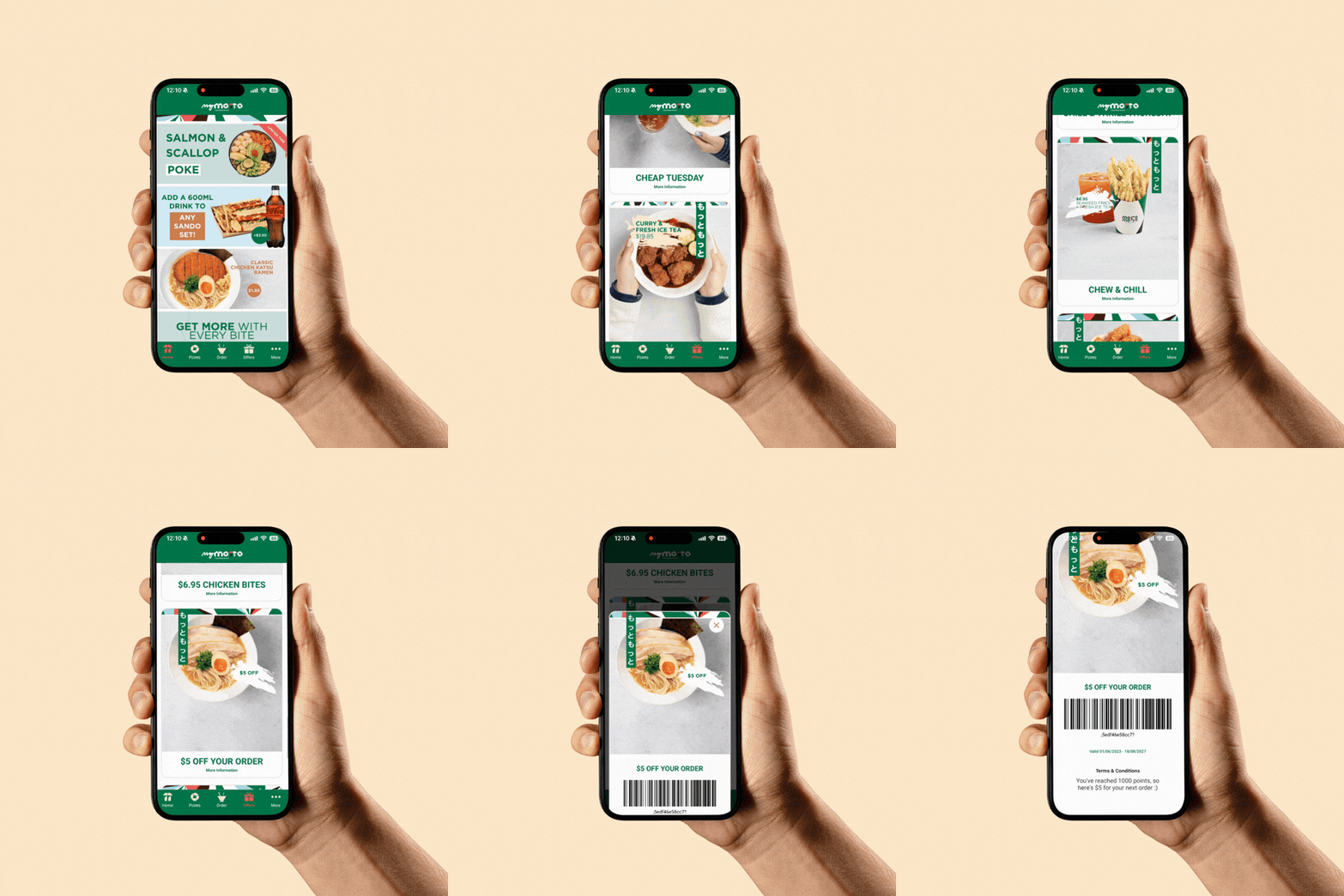
HOW TO FIND YOUR $5 VOUCHER
If your points balance has dropped, don’t panic! Your points haven’t disappeared or been taken away - they’ve automatically converted to a $5 voucher ready for you to use. Find your $5 voucher in the Offers tab of the app.
Want to know more about your membership? Explore the MyMotto page for member benefits, reward details and answers to frequently asked questions.